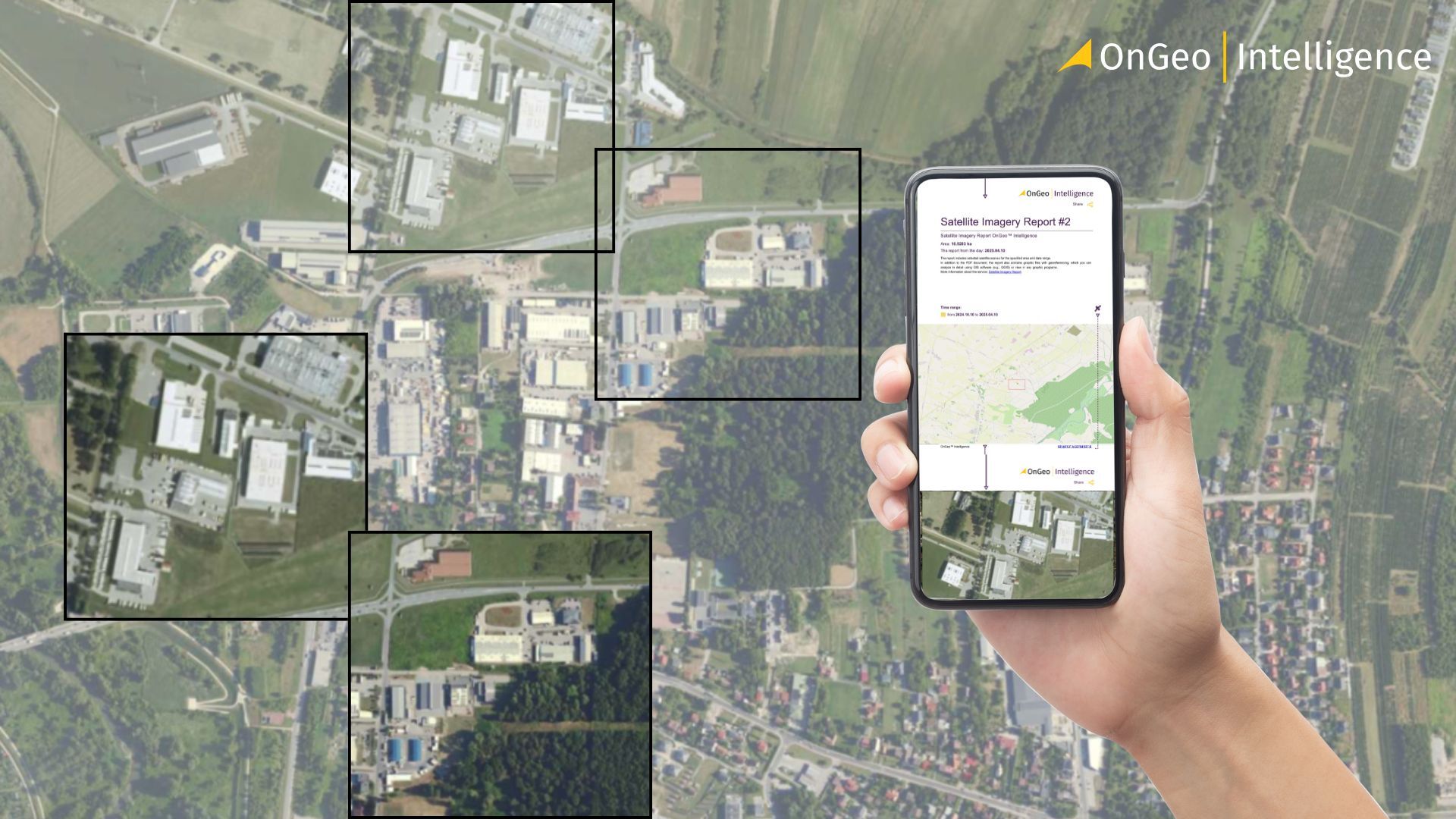
How Often Does Google Maps Update Satellite Images?
Google is so deeply woven into our daily lives that, for many people, the internet is Google. And one of the tools we rely on most is Google Maps - our digital atlas for navigating cities, exploring new places, or simply satisfying curiosity by zooming into the world from above. But as familiar as those satellite images look, they aren’t as “live” as people assume.

So the big question is: how often does Google actually update its satellite imagery?
Google Maps pulls its satellite layers from multiple providers, blending data from commercial satellites, government sensors, and aerial photography. Because of this complexity, the update schedule varies widely depending on location, data availability, and strategic importance.
This guide breaks down how Google collects imagery, how often updates happen, why some places refresh faster than others, and how to tell if an area has been updated.
Step-by-Step: How to View Satellite Imagery in Google Maps
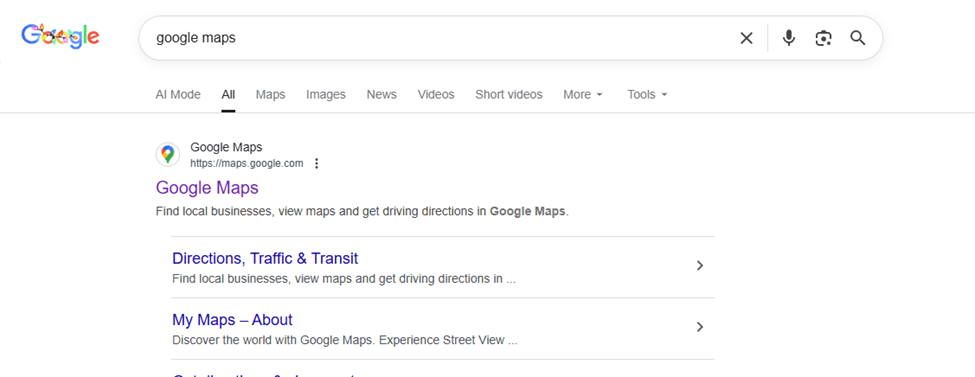
Step 1: Open Google Maps
Go to https://maps.google.com in your web browser.
Google Maps opens by default in map view, showing roads, labels, and place names.
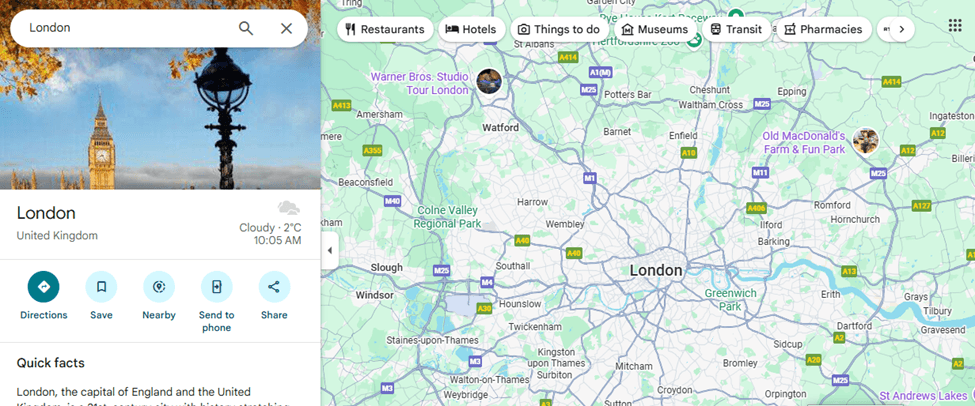
Step 2: Search for a Location
Use the search bar in the top-left corner to enter:
- A city
- A specific address
- Or geographic coordinates (latitude, longitude)
Step 3: Switch to Satellite View
In the bottom-left corner of the screen, click the Layers icon.
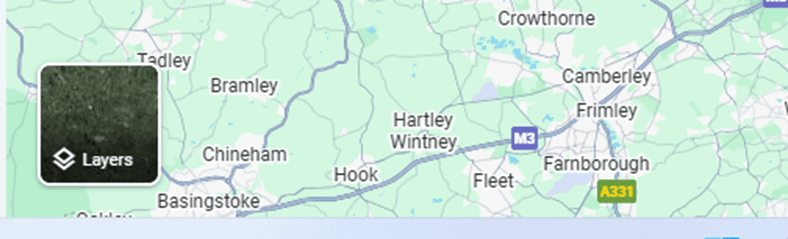
From the menu, select Satellite.
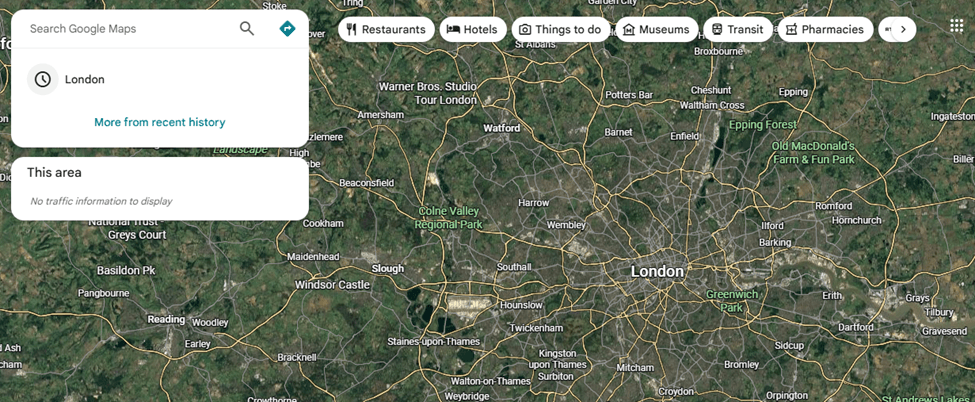
Step 4: Enable Labels (Optional but Recommended)
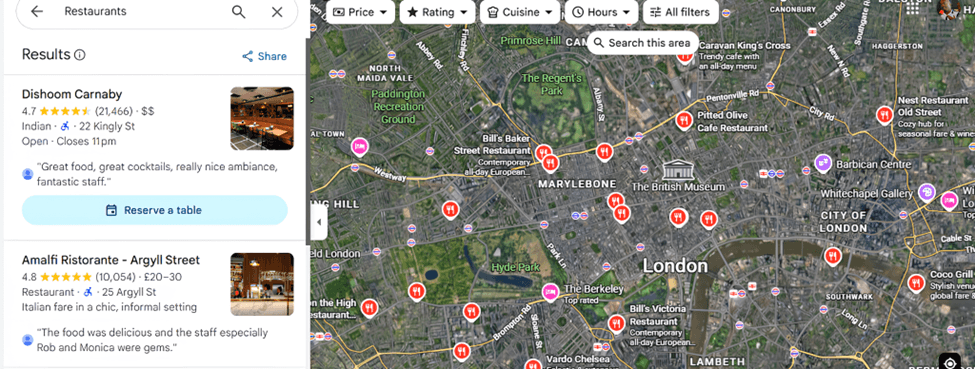
After switching to Satellite view, click the Layers icon again.
Turn Labels ON to display:
- Place names
- Roads
- Landmarks
This helps you understand what you’re seeing on top of the satellite imagery.
How Often Google Updates Different Regions
Google doesn’t update all locations at the same time. Instead, it follows a priority-based update schedule that depends on population, activity, accessibility, and user demand. Here’s a breakdown of how often different areas typically get refreshed:
1. Major Cities (Every 6-12 Months)
Highly populated regions - New York, Nairobi, London, Lagos, Mumbai-receive the most frequent updates.
Why? High user demand, rapid development, constant infrastructure changes.
These areas often get refreshed once or twice a year, sometimes even more frequently if new aerial data is available.
2. Growing Urban Areas (Every 1-2 Years)
Medium-sized cities or rapidly expanding towns receive updates fairly regularly.
Examples: regional capitals, industrial hubs, expanding suburbs.
Updates typically roll in every 12–24 months.
3. Rural Areas (Every 2-3 Years)
Regions with low population density or fewer changes generally have a slower refresh rate.
Examples: village areas, agricultural zones, small towns.
These areas might be updated every 2–3 years, depending on cloud-free imagery availability.
4. Remote or Hard-to-Reach Regions (Every 3-5+Years)
Places like dense forests, deserts, mountains, or politically unstable regions can go the longest without updates.
Why? Challenging to capture cloud-free imagery, low user demand, limited aerial coverage.
Some remote areas may go 5 years or more without major updates.
5. Conflict Zones or Restricted Areas (Unpredictable)
Due to safety, regulations, or limited aerial access, updates can be inconsistent.
Examples: active conflict zones, countries with satellite restrictions, sensitive borders.
Data updates depend solely on the availability of commercial satellite imagery, and some locations may stay outdated for long periods.
Why Some Places Update Faster Than Others
Google’s satellite updates aren’t random-some locations get refreshed more often because they matter more from a data, economic, or practical perspective. Several factors influence why certain places get newer imagery faster:
1. Population Density & User Demand
The more people who live in or search for a location, the more important it is for Google to keep it current.
- Major cities = high demand
- Rural or remote regions = low demand
Areas with millions of users almost always get priority.
2. Rate of Development
Places that change quickly need more frequent updates.
Expanding suburbs
New infrastructure (roads, airports, real estate)
Fast-growing cities
Google refreshes these regions often because old imagery becomes outdated quickly.
3. Cloud Cover & Weather Conditions
Some locations rarely get clear satellite shots due to:
- Constant cloud cover
- Heavy rainfall
- Fog or haze
For example, the tropics, the Amazon, or coastal regions may wait longer simply because obtaining a clear image is difficult.
4. Political Restrictions & Airspace Rules
Some countries limit or regulate high-resolution imagery.
Examples:
Conflict zones
Military-sensitive areas
Regions with strict mapping policies
Updates may be delayed or downgraded in resolution.
How to Tell If an Area Has Been Updated on Google Maps
Unlike professional satellite platforms, Google Maps does not clearly display image acquisition dates. However, there are a few practical ways to estimate whether an area has been recently updated.
Look for Recent Infrastructure Changes
Zoom into the area and check for: newly built roads or highways, new buildings or housing developments, recently completed bridges or interchanges
If you know these features were constructed recently and they appear in the imagery, it’s a strong indication the area has been updated.
Compare with Ground-Level Knowledge
If you: live in the area, have visited recently, have access to recent photos.
Compare what you see on the ground with what appears in Google Maps. Visible mismatches (missing buildings, outdated road layouts) usually mean the imagery is old.
Check for Seasonal Clues
Satellite images often reveal the season they were captured in: dry vs. green vegetation, snow cover or flooding, crop cycles.
If the season shown doesn’t match the current one, the imagery is likely several months - or even years - old.
Switch to Google Earth for Exact Dates
Google Maps itself doesn’t show imagery dates clearly. For precise information:
1. Open Google Earth (desktop or web)
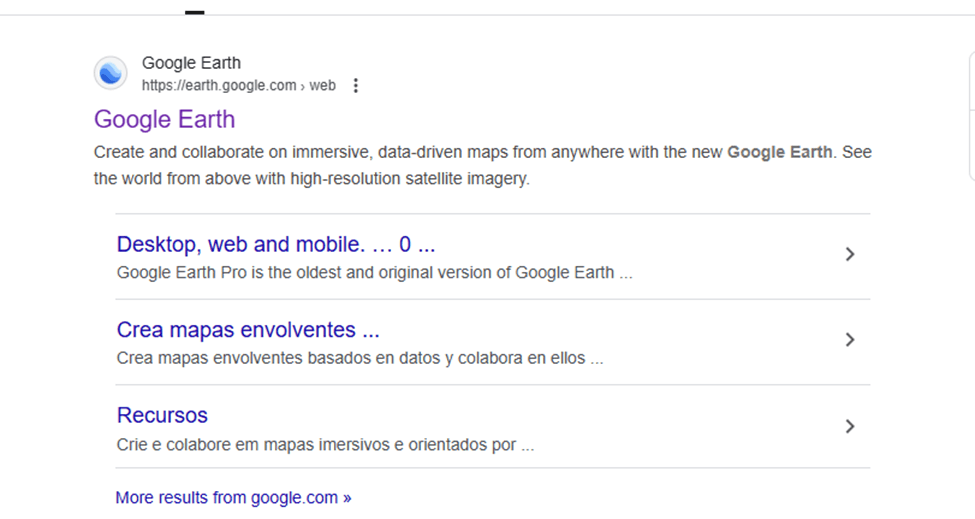
2. Navigate to the same location
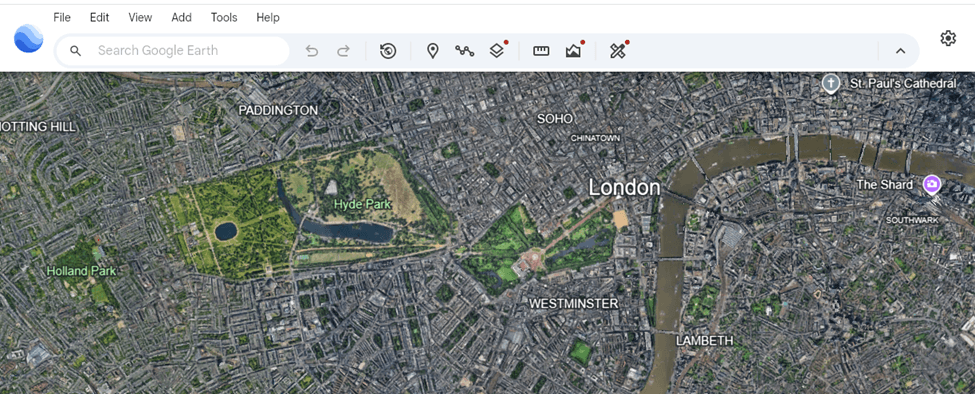
3. Look for the show historical imagery imagery option under the view section
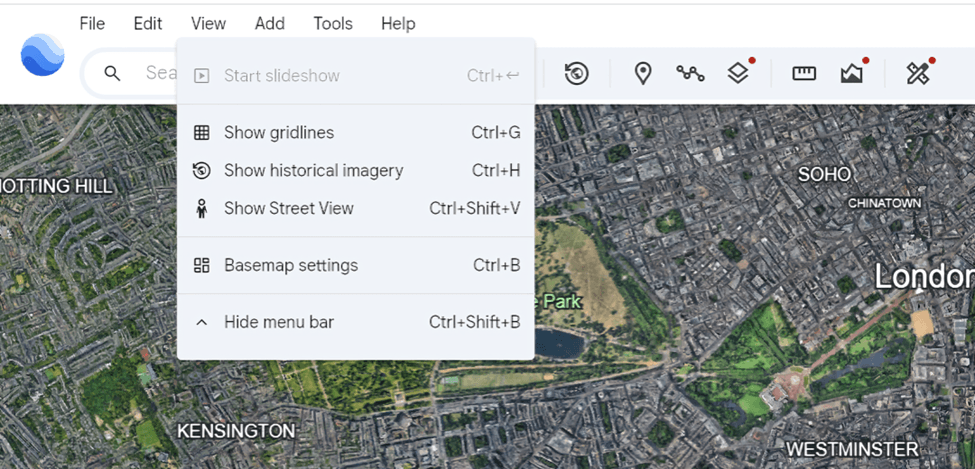
4. Use the Historical Imagery slider (desktop version) to compare older images
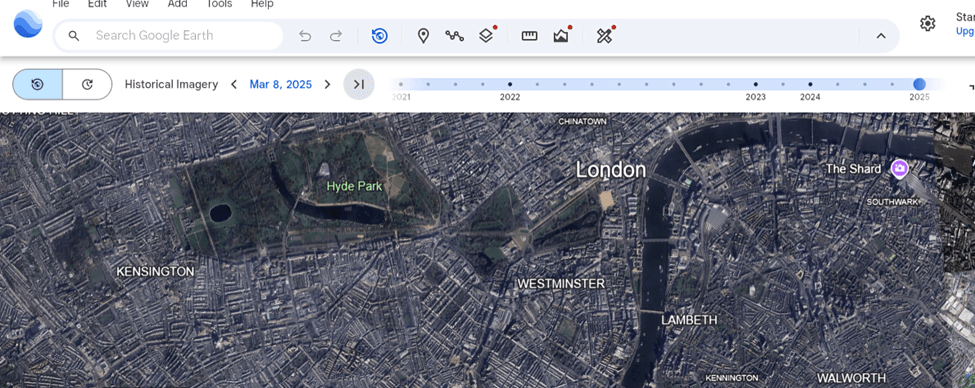
Select different historical imagery dates and compare them with Google Maps to identify changes over time.
This is the most reliable way to confirm when an image was captured.
Why Google Maps Isn’t “Live” Satellite Imagery
Many people assume Google Maps shows real-time satellite views—but it doesn’t. In reality, Google’s satellite layer is built from images captured weeks, months, or even years before you see them. Here’s why true “live” satellite imagery isn’t possible on Google Maps:
Satellites Don’t Capture the Whole Earth at Once
Earth-observing satellites orbit the planet in passes.
They only image specific areas when they fly over them, which might be:
- Every 5 days (Sentinel-2)
- Every 1–3 days (PlanetScope)
- Every 2–4 weeks (commercial high-resolution satellites)
There is no satellite constantly filming every location 24/7.
High-Resolution Satellites Capture Limited Areas
The satellites that produce the crisp images Google uses (e.g., Maxar WorldView) focus on:
- Cities
- Areas of commercial demand
- Places with clear weather
They cannot cover the entire planet daily—it’s too expensive and technically impossible at the required resolution.
Some imagery comes from airplanes, not satellites
Large parts of Google Maps are aerial photographs captured by planes that fly in specific seasons.
These flights might happen:
- Once a year
- Once every few years
- Only in good weather
Aerial updates are even less frequent than satellite updates.
Privacy & security reasons
Google cannot show:
Live footage of people
Real-time locations of vehicles
Ongoing events (emergencies, military activity)
It must blur sensitive places and comply with global security regulations before publishing update
Why OnGeo Intelligence Offers a Better Way to Access Fresh Satellite Data
While Google Maps offers a broad view, it isn’t ideal for users needing up-to-date, task-ready satellite imagery. OnGeo fills that gap by giving direct access to the latest scenes from top satellite providers.
Key advantages:
- Instant access to recent imagery: See new Sentinel-2 (every 5 days), Landsat (every 16 days), and commercial high-res scenes without waiting for Google updates.
- No subscriptions or technical skills required: Search a location and generate a report - no account or GIS knowledge needed.
- Ready-to-use reports: Get clean previews, cloud coverage, time-series comparisons, and acquisition dates in a downloadable PDF.
- Affordable high-resolution imagery: Once limited to governments and big companies, now available easily and transparently.
- Free Sentinel-2 report: Use code ongeo100 to try the platform with recent imagery, cloud analysis, and multiple time snapshots.
OnGeo Intelligence makes fresh satellite data accessible, simple, and practical for everyone.
Learn more about: Satellite Imagery Report
Final Thoughts Google satellite imagery
Google Maps is great for general viewing, but its satellite imagery isn’t updated reliably or frequently. For time-sensitive work - like environmental monitoring, urban planning, or research - you need consistent, up-to-date data. OnGeo provides this, offering on-demand access to fresh satellite imagery, easy comparisons over time, and affordable, user-friendly tools. In a rapidly changing world, having reliable satellite data is essential for professionals and curious observers alike.
Related articles
- Understanding Satellite Image Resolution: Low vs High Resolution
- Satellite and Remote Sensing Terms You Should Know
- Why Metadata Is Essential in Satellite Earth Observation
- How to Master Satellite Image Analysis: A Beginner's Step-by-Step Guide
- How Often Do satelites Take Pictures? Satellite Imagery Frequency
- How to Download High-Resolution Satellite Images